From idea to launched channel.
Mock up your channel, design thumbnails, plan your content pipeline, and brainstorm with AI helpers. Everything saves locally in your browser — your work survives a refresh.
🎓 New: Claude Academy
Level up the AI half of your workflow. A built-in crash course in better prompts, iterative loops, faster workflows, real film & TV craft, and connecting Claude to your tools — with 30+ copy-paste prompts and verified video guides.
📌 Pipeline snapshot
🚀 Next up to publish
🎯 Goal & streak
🏆 Milestones
📈 Analytics
💾 Your workspace
All data lives in this browser's localStorage. Back it up, move it, or start fresh.
🎛️ Channel Mockup
Design your channel identity and preview it as a live YouTube-style page.
Channel details
Try a name
🖼️ Thumbnail Creator
Layered 1280×720 editor — drag text on the canvas, then export a PNG.
Background
Templates
Layers
Library
🗂️ Video Planning
Move videos through your pipeline, track checklists, and schedule publish dates.
📺 YouTube Read-only · BYO key
Pull real channel data, research keywords, browse trending, and look up video stats via the YouTube Data API.
⚙️ YouTube Data API key
📥 Import a real channel
🎬 Video stats lookup
🔎 Keyword / competitor research
🔥 Trending explorer
✅ Startup Checklist
A complete YouTube channel startup checklist. Tick items as you complete them, add your own with + add item, or delete what doesn't apply. Everything saves to this browser automatically.
🧭 Explorer
A speed-dial board of 100 sites and tools a YouTube creator reaches for every day — Studio & analytics, thumbnails, stock media, editing, AI helpers, and promotion. Click a tile to open it in a new tab, or search to filter live.
No bookmarks match your search.
🔖 Bookmark Pack
A hand-curated toolkit of 100 essential creator links, sorted into 10 ready-to-import folders. Everything you need to plan, make, optimize, and grow a channel — one click away on your bookmarks bar.
What's inside
Ten categories covering the full creator workflow — from first idea to monetization.
▶️ YouTube Core
10 links
Studio, Analytics, Audio Library, Creators, Community Guidelines and more.
📊 Analytics & SEO
12 links
TubeBuddy, vidIQ, Social Blade, Google Trends, ViewStats, Search Console.
🖼️ Thumbnails & Graphics
12 links
Canva, Photopea, Figma, Remove.bg, PhotoRoom, GIMP, Coolors.
🎞️ Stock Media & Assets
12 links
Unsplash, Pexels, Freepik, Storyblocks, Artlist, Epidemic Sound, Google Fonts.
✂️ Editing & Production
12 links
DaVinci Resolve, CapCut, Premiere, Descript, OBS, Audacity, Streamlabs.
🤖 AI Tools
12 links
ChatGPT, Claude, Gemini, ElevenLabs, Runway, Suno, Midjourney, Opus Clip.
🎙️ Captions & Audio
7 links
Rev, Otter.ai, Happy Scribe, Uppbeat, Soundstripe, Freesound.
💬 Social & Cross-Promo
10 links
Instagram, TikTok, X, Reddit, Discord, Threads, Pinterest, Linktree.
🗓️ Scheduling & Workflow
6 links
Buffer, Hootsuite, Later, Notion, Trello, Google Calendar.
💰 Monetization & Business
7 links
AdSense, Patreon, Ko-fi, Gumroad, Printful, Spotify for Creators.
How to install
Importing takes about 30 seconds. Works in Chrome, Edge, Brave, and Firefox.
Download the pack
Grab youtube-studio-zero-bookmarks.html and save it somewhere you'll remember (Downloads is fine).
Open the Bookmark Manager
Chrome / Edge / Brave: press Ctrl + Shift + O.
Firefox: press Ctrl + Shift + O, then choose Import and Backup.
Import the file
Chrome family: click the ⋮ menu (top-right) → Import bookmarks → select the file.
Firefox: Import and Backup → Import Bookmarks from HTML → select the file.
Pin it to your bar
A YouTube Studio Zero folder appears with all 10 subfolders inside. Drag it onto your bookmarks bar. Toggle the bar with Ctrl + Shift + B.
How to use it
Make the toolbar work the way you actually create.
Open a whole folder at once
Right-click any subfolder → Open all bookmarks to launch your full editing or analytics stack in one go.
Trim to your stack
You won't use all 100. Delete the tools you don't touch so the bar stays fast and focused.
Reorder by workflow
Drag folders so your daily ones (Core, Analytics, Editing) sit first, left-to-right.
Add your own
Press Ctrl + D on any page and save it into the matching folder to keep growing the pack.
Sync across devices
Sign into your browser account and the folders follow you to every machine automatically.
Re-import anytime
Keep the HTML file — it's your backup. Re-import to restore the full pack on a fresh browser.
YouTube Studio Zero
The toolkit that takes a channel from zero to launched. Mock up your channel identity, design thumbnails on a layered canvas, plan your whole content pipeline, and brainstorm titles, tags and scripts with AI — all in one place, all in your browser.
What it is
YouTube Studio Zero compresses the messy pre-launch work — naming, branding, thumbnails, titles, scheduling, scripting — into a fast, guided flow with AI helping throughout. The goal is simple: help creators launch instead of stall. Everything saves to this browser's localStorage, so your work survives a refresh and never leaves your machine (the optional Claude and YouTube API keys you provide are sent only to those services, directly).
🎛️ Channel Mockup
Experiment with a channel's identity before committing.
Try names, set brand colors, write a tagline and description, upload an avatar & banner, and preview it all as a live YouTube-style channel page — desktop or mobile.
🖼️ Thumbnail Creator
Design thumbnails that earn the click.
A layered 1280×720 canvas editor: drag text, add image/logo layers, apply presets and templates, use a safe-zone overlay, A/B compare, and export a PNG.
🗂️ Video Planning
Run your content pipeline.
A kanban / list / calendar board with checklists, series, publish dates, search and filters — plus a one-click .ics export to your calendar.
🤖 AI Assist
A brainstorm partner for every step.
Generate titles, tags, thumbnail text, script outlines and branding tone. Works offline with built-in rules, or bring your own Claude API key for live results — then push any result straight into your planner or thumbnail.
📺 YouTube research
Bring your own YouTube Data API key to import a real channel, look up video stats, research keywords & competitors, and browse trending — read-only, cached per session to respect your quota.
🎓 Claude Academy inside AI Assist
An education centre built right into the AI Assist tab: tips for writing better prompts, an intro to iterative and agentic loops, workflow-boosting features, real film & TV craft to feed Claude, and how to connect Claude to your tools. Includes 30+ copy-paste prompts and verified video guides — so AI Assist isn't just a button, it's a skill you keep building.
Who it's for
Solo and early-stage creators facing the wall every channel hits: the pre-launch work is huge and easy to get stuck in. Studio Zero is built to compress that — name, brand, design, plan and schedule quickly, with AI doing the heavy lifting — so momentum beats polish.
Version & credits
YouTube Studio Zero v1.0.0 — first public release. A single-file, no-build, client-side app by Project Atmosfarm, generalised from the tooling built to launch its own channel.
Not affiliated with or endorsed by YouTube / Google. "YouTube" is a trademark of Google LLC. See the bundled README.md for the full changelog and setup notes.
🤖 AI Assist Offline
Brainstorm with the AI generators, then level up in the built-in Claude Academy — pick a section below.
Your topic
⚙️ AI mode & API key
🎓 The Claude Academy tabs above are an independent educational resource — not affiliated with or endorsed by Anthropic. "Claude" is a trademark of Anthropic.
✍️ Tips & tricks for great prompts
The single biggest lever on output quality is the prompt. Anthropic's golden rule: if a smart colleague with no context would be confused by your request, so will Claude. Be the director — say exactly what you want, why, and in what shape.
<transcript>…</transcript>, <instructions>…</instructions>.Fill in the [BRACKETS]. Hit Copy and paste straight into Claude (or AI Assist).
You are a YouTube title strategist for a [NICHE] channel aimed at [AUDIENCE]. The video is about: [TOPIC]. Generate 20 title options under 60 characters. Vary the angles: curiosity gap, clear benefit, contrarian take, "how to," and listicle. Then mark your top 3 and explain in one line why each earns the click.
Act as a video scriptwriter. Create a detailed outline for a [LENGTH]-minute YouTube video titled "[TITLE]" for [AUDIENCE]. Structure: Hook (first 15s), intro/promise, 3–5 main sections with key beats, a mid-video re-hook, and a CTA. Tone: [TONE]. Output as a nested bullet list.
Write 8 different opening hooks (max 2 sentences each) for a video about [TOPIC] aimed at [AUDIENCE]. Goal: stop the scroll in the first 5 seconds. Use these angles across the set: bold claim, surprising stat, relatable pain point, open-loop question, and "you're doing X wrong." Tell me which one you'd pick and why.
Here is my video transcript:
<transcript>
[PASTE TRANSCRIPT]
</transcript>
Identify the 5 most clip-worthy moments for Shorts / TikTok. For each: quote the exact lines, give a punchy title (under 40 chars), a first-2-seconds caption hook, and the approximate timestamp.
Write an optimized YouTube description for a video titled "[TITLE]" about [TOPIC]. Include: a 2-sentence hook that front-loads the keyword "[KEYWORD]", an "In this video" bullet list of 4–6 takeaways with placeholder timestamps, a subscribe CTA, and 5 relevant hashtags. Then generate clean chapter labels (3–5 words each), first chapter at 0:00.
You are a YouTube thumbnail designer. For "[TITLE]" ([TOPIC]) targeting [AUDIENCE], propose 6 thumbnail concepts. For each: focal subject, the emotion/expression, max 3 words of overlay text, a colour/contrast idea, and the curiosity element. Keep them mobile-legible and clutter-free.
You are managing my YouTube community. Draft friendly, on-brand replies to these comments in my voice ([TONE]). Keep each under 2 sentences: thank genuine praise, answer questions helpfully, de-escalate criticism without being defensive.
<comments>
[PASTE 5–10 COMMENTS]
</comments>


🔁 Introduction to loops
A "loop" just means doing something repeatedly, each pass using what you learned last time. Two kinds matter for creators: the manual feedback loop you drive in chat (generate → critique → refine → repeat), and the agentic loop that Claude Code runs on its own (gather context → take action → verify → repeat) until a task is done.
No special tools — you're the director doing editing passes. Anthropic's docs endorse this as "self-correction": draft → review against criteria → refine.
Rate the answer you just gave 1–10 against these criteria: clarity, hook strength, and concision. Explain each score in one line, then rewrite it to score higher. Show only the improved version.
Give me 3 distinctly different versions of this video title. Then act as a YouTube viewer deciding what to click, rank them, and finally write one new title that combines the best of all three.
Here is your previous draft. Review it against this rubric: [PASTE RUBRIC]. List every place it falls short, then produce a revised draft that fixes each issue. Repeat in your head until nothing fails the rubric, then show me only the final draft.
Before rewriting, tell me the 3 biggest weaknesses of this script's opening 15 seconds for retention. Then rewrite the opening to fix all 3.
Claude Code is Anthropic's terminal agent. It always runs an agentic loop automatically; two real commands let you control looping explicitly.
/loop — run on a schedule. e.g. /loop 5m check if the deployment finished. Give an interval + prompt to run on a fixed schedule, or just a prompt to let Claude self-pace each round. Stop with Esc./goal — run until done. Set a completion condition and Claude keeps working until it's met (verified by a checker model). The "finish the job" loop.claude --version and the official docs (linked in Resources). "Loop engineering" is a community nickname, not an official feature name.
⚡ Increase your workflow
Beyond one-off chats, Claude has power features that turn it into a persistent content assistant — and Claude Code can automate the busywork around your files.
You are the producer for my YouTube channel. Audience: [DESCRIBE]. Niche: [TOPIC]. Voice: punchy, second person, conversational, zero corporate jargon. My best-performing titles for reference: [PASTE 10].
When I give you a video topic, default to: 1 description with chapters, 10 title options (under 60 chars), 5 tags, and 3 Shorts ideas with angles. Ask one clarifying question if the topic is ambiguous.
Here's my video transcript [PASTE/UPLOAD]. Turn it into a content week: a YouTube description with timestamped chapters, 3 Shorts scripts with hooks, 5 community posts, and a newsletter blurb. Put each in its own artifact.
Search the web: what's trending or under-covered in [NICHE] right now? Cite sources. Then propose 3 video angles competitors have missed.
/loop or cloud Routines instead. For fully non-technical automation, Anthropic points to Claude Cowork.
🎬 Train Claude in film & TV technique
Claude has read the screenwriting manuals and thousands of scripts — but it only reaches for that knowledge if your prompt points to it. Precise film language is the key: "write a tense scene" gets prose; "a tense scene built on a slow push-in, withheld score and an L-cut into the next beat" gets a director-ready document.
Story structure
Camera & lighting
Editing & sound
Generate a three-act outline for a [GENRE] short about [PREMISE]. Open with a cold open that hooks in under [X] seconds, plant the central dramatic question by the end of Act 1, and include a midpoint reversal that raises the stakes. Keep it to [LENGTH] pages.
Write a shot list for [SCENE DESCRIPTION]. For each shot specify: shot size (wide/medium/CU), camera angle, camera movement (static/dolly/handheld/crane), lens choice, and a one-line purpose. Include enough coverage to edit the scene (master, OTS, singles, inserts).
Give me edit notes to tighten the pacing of [SCENE]. Suggest where to use J-cuts and L-cuts to overlap dialogue and smooth transitions, where to trim handles, and where a jump cut or match cut would add energy. Output as a timecode-style note list.
Turn this script into a director's vision document: [PASTE SCENE]. Specify a lighting approach (high-key/low-key, motivated, practicals), a colour palette, lens choices and focal lengths, and the dominant camera-movement language. Explain how each choice serves the tone: [TONE].
Write an AI-video generation prompt for [SCENE]. Include subject and action, ONE specific camera move (e.g. slow dolly-in), shot size, lens look (e.g. 35mm, shallow depth of field), lighting (e.g. low-key, golden hour, single practical), colour grade, and mood. One dense paragraph optimized for [Sora/Runway/Veo/Kling].
Act as a script doctor. Read this scene and give coverage notes: [PASTE]. Address structure, where the tension sags, on-the-nose dialogue, and whether the scene enters late / leaves early. End with three concrete rewrite suggestions.




🔌 Connect Claude to your tools
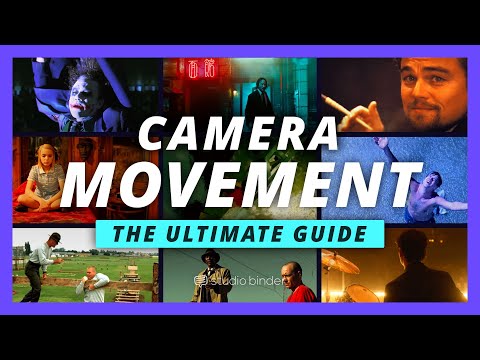
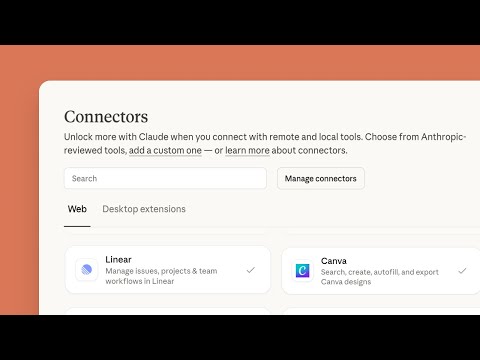
MCP (Model Context Protocol) is an open standard — think "USB-C for AI" — that lets Claude plug into external apps. In Claude.ai these show up as Connectors: authenticate once and Claude can read from (and act in) services like Google Drive, Canva and Notion, no copy-paste.
Search my Google Drive for my channel brand guide and summarize the colour and font rules.
Create a Canva design for a YouTube thumbnail titled "[VIDEO TITLE]", using my Brand Kit colours.
Turn this brainstorm of 10 video ideas into an organised Notion roadmap with status and target dates.
Search my Gmail for sponsorship inquiries from the last 30 days and summarize each with the brand, the offer, and the deadline.
📚 Official resources & docs
Hand-picked, verified links straight to Anthropic's documentation and learning hubs. Docs now live under platform.claude.com / code.claude.com (older anthropic.com links redirect there).
/loop) code.claude.com
→ Keep Claude working toward a goal (/goal) code.claude.com
claude mcp add) code.claude.com